
Getting started / Create an account
Getting started
Create an account
Sign up, sign in and get set up with your first credits.
Creating a Firelent account takes about a minute. All you need is an email address — or a Google account.
Sign up with email#
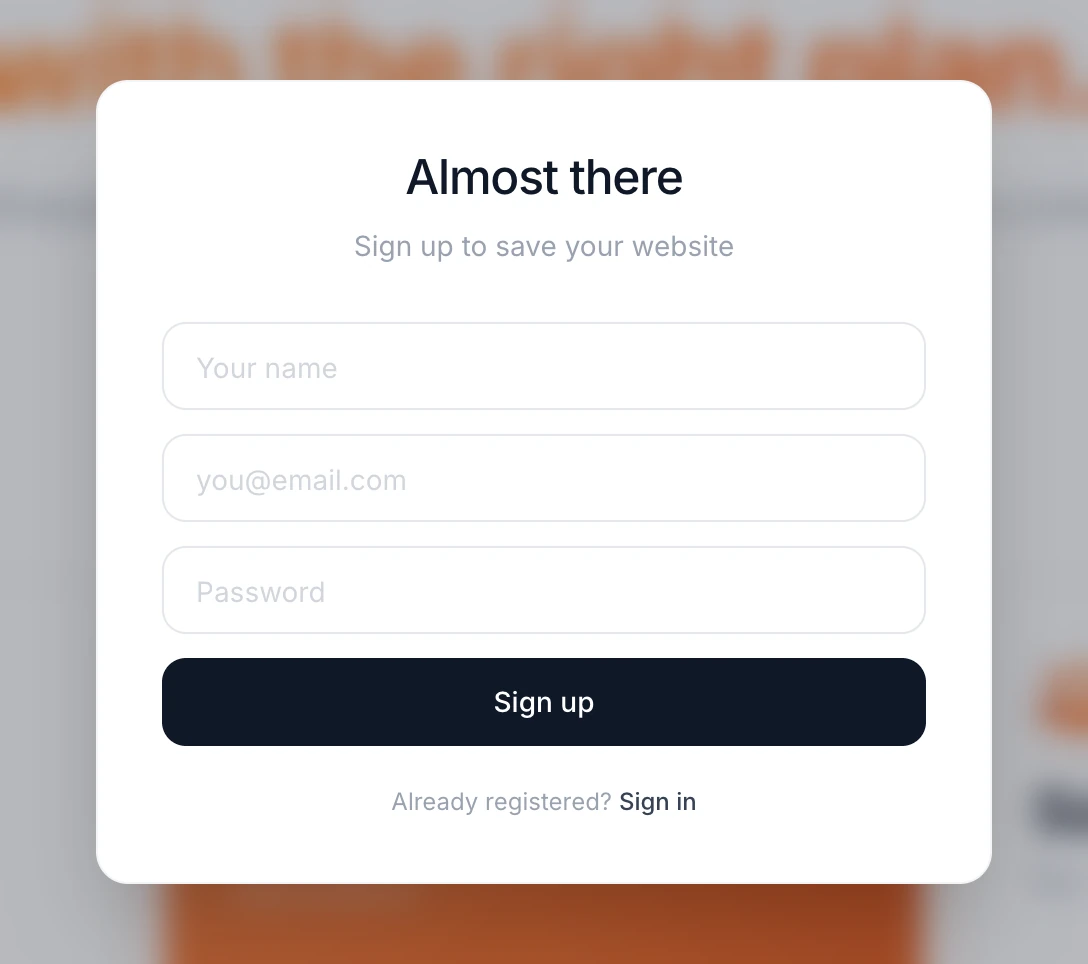
Open the sign-up dialog
On any page of the Firelent website, click Start for free in the top right corner.
Enter your details
Fill in Your name, your email address and a Password with at least 8 characters, then click Sign up.
Confirm your email
We send a 6-digit code to your inbox. Type it into the Enter code screen and click Confirm. The code is valid for 10 minutes.
Typed the wrong address?
On the code screen, click Back under “Wrong email?” to return to the form and correct it.
Sign up with Google#
Prefer not to create a password? Click Continue with Google at the top of the sign-up dialog and choose your Google account.
Start with your idea#
You don't have to sign up before you start. Type what you want to build into the composer on the Firelent homepage, choose Website or App, and send it. Firelent asks you to sign up at that point — and once you're in, it picks up your prompt right where you left off.
Sign in#
Already have an account? Open the dialog with Start for free, then click Sign in next to “Already registered?”. Enter your email and password on the Welcome back screen and click Sign in.
Your starting credits#
Every new account comes with 50 credits — enough to build your first website (40 credits) and make a handful of changes (2 credits each).
| Plan | Credits |
|---|---|
| Free | 50 credits when you sign up |
| Pro — €30/month | 300 new credits every billing cycle. Unused credits carry over, up to a balance of 600 |
On Pro you can also buy extra credits whenever you need them: 100 credits for €9.99.
Your balance is always visible on the Credits card at the bottom of the sidebar. Click Upgrade plan there, or open Billing, to see your balance, what each action costs and your full credit history.
Credits are only used for AI work. Chatting, Plan mode, reverting to an earlier version and updating your business details are free — and if a build fails, its credits are refunded automatically.