
Build / Data
Build/Projects/Project settings
Data
See and export the records and users your website or app stores.
Many websites and apps need to remember things: messages from a contact form, bookings, sign-ups, the users who create an account. Firelent stores all of that for you, and the Data section is where you see it.
Open it from your project: Project tab → Data.
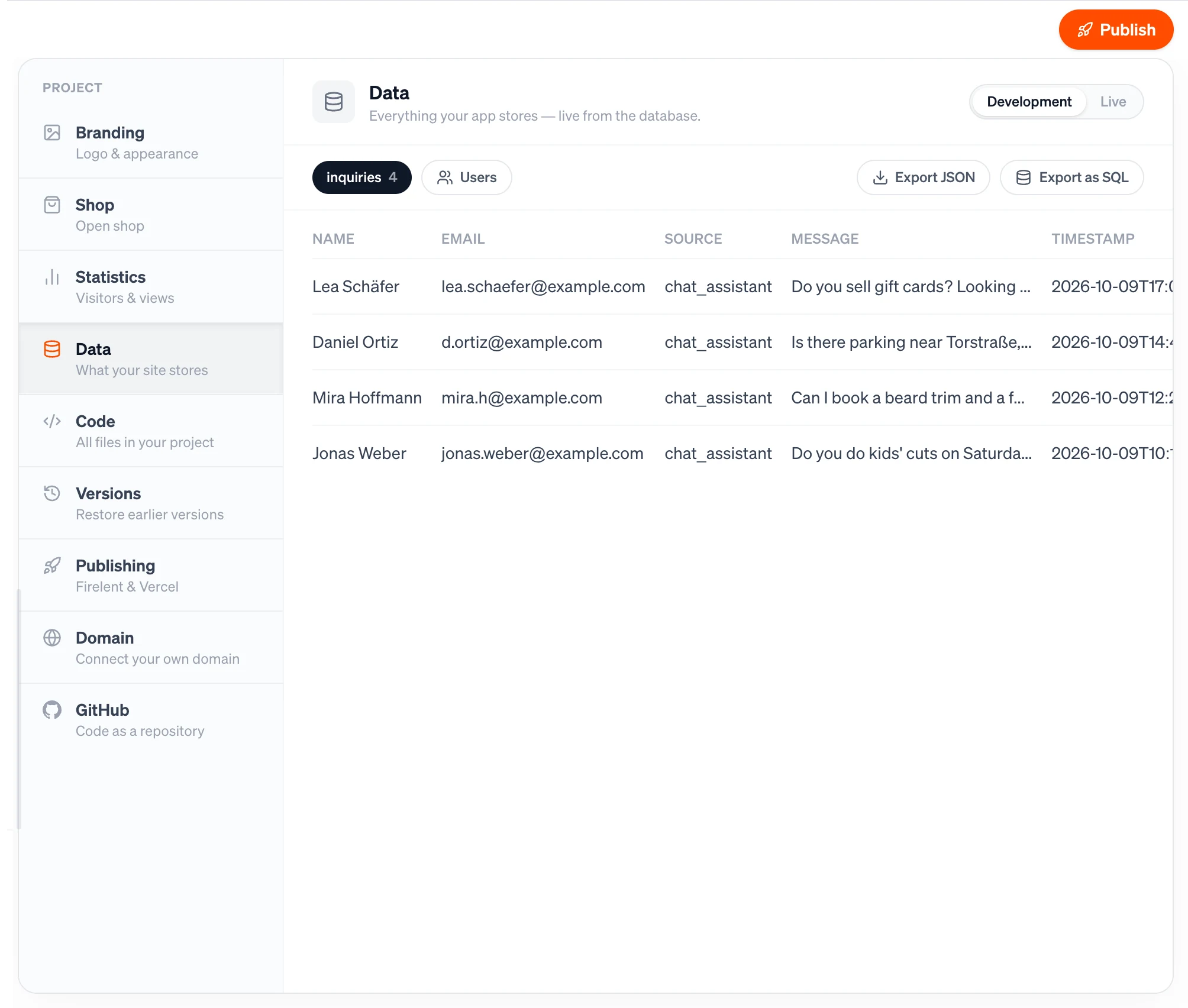
How data gets here#
When Firelent builds a feature that saves something — a contact form, a booking request, a guestbook — your site or app stores those entries with Firelent automatically. There's no database to set up and nothing to connect.
Entries are grouped into collections: one for contact messages, one for bookings, and so on. Each entry is a record with its own fields, plus the time it was created.
If your site or app lets people create an account, those accounts are listed under Users.
Browse your data#
- Development and Live at the top switch between your project's two environments.
- Collection chips list each collection with its number of records. Click one to open it.
- The table shows a collection's records with their fields and Created date — up to 100 records at a time.
- Users shows each account's Email, whether it's Verified, whether it signs in with a Password or a Code login, and when it Registered.
Until something has been stored, Data shows No data yet — as soon as your app stores something, it shows up here automatically.
Delete a record#
Hover a record and click the trash icon — it turns red — then click it again to delete. Deleting can't be undone.
Export your data#
Your data is yours, and you can take it anywhere:
| Export | What you get |
|---|---|
| Export JSON | The records of the collection you have open — the ones in the table, up to 100 — as a .json file |
| Export as SQL | Everything in the environment — every collection plus your users — as a PostgreSQL file that runs in any database, no Firelent needed |
Passwords are never included in an export.
Limits#
| Limit | |
|---|---|
| Records per collection, Development | 5,000 |
| Records per collection, Live | 50,000 |
| Size of a single record | 64 KB |
| Records in an SQL export, per collection | 20,000 |