
Create / Slides
Create
Slides
Turn a prompt into a PowerPoint deck — and how to get slides worth presenting.
Describe the talk you need to give, and Firelent writes the deck: a real PowerPoint file you can download, open in any presentation app and present. No template hunting, and no blank first slide.
How it works#
Open Slides
On your dashboard, click Create and choose Slides. You can also just ask for a deck in the chat of any website project — “make me a pitch deck about…” works too.
Describe your deck
Pick one of the ideas to start from, or write your own. The more you tell Firelent about the audience and the story, the better the deck.
Firelent writes it
You can follow along as each slide is written. A deck takes about half a minute.
Download it
Click the file in the chat, or Download above the preview. The file is yours — open it in PowerPoint, Keynote or Google Slides.
What's in your deck#
| File | A PowerPoint file (.pptx) in 16:9 widescreen |
| Slide types | Title, section, bullet points, two columns, quote and closing |
| Design | A colour theme and a font picked to match your description, with slide numbers |
| Cost | 15 credits per deck — refunded automatically if something goes wrong |
Decks are built from text: they don't include photos, icons, charts or speaker notes yet. Add those in your presentation app once the structure is right — see Presentations.
Write a prompt that makes a good deck#
A good deck prompt answers five questions:
- Who is it for, and what should they do afterwards? “Café owners, so they order a trial bag” is a story. “Coffee” is a topic.
- What's the story, in order? List the sections you want, one idea each.
- How long? Say how many slides. Without a number, Firelent usually writes around 8 to 12.
- What are your facts? Prices, dates, names, numbers — whatever is true for you.
- What should it look like? “Warm and calm”, “dark and bold”, “plain and corporate”.
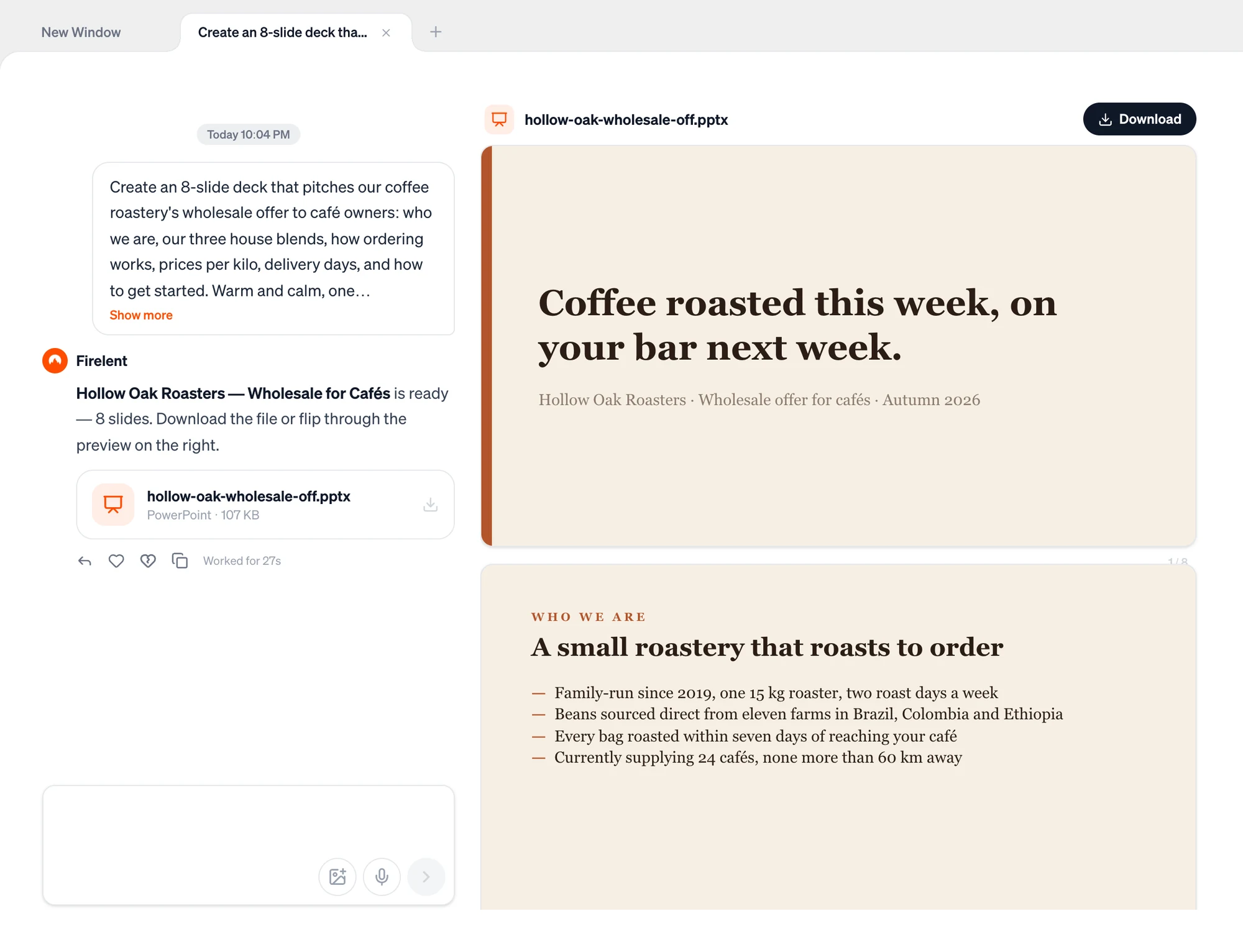
Create an 8-slide deck that pitches our coffee roastery's wholesale offer to café owners: who we are, our three house blends, how ordering works, prices per kilo, delivery days, and how to get started. Warm and calm, one idea per slide, big type.
Bring your own facts
When your prompt leaves gaps, Firelent fills them with plausible examples. The deck above was given no facts, so it invented a founding year, eleven partner farms and 24 café customers. Put your real numbers in the prompt — and check every name, number and claim before you present.
Make it better#
- One idea per slide. If someone can't get the point of a slide in about three seconds, it's doing too much.
- Headlines that say something. “Delivery every Tuesday and Friday” beats “Delivery”. Ask for headlines as full sentences.
- About one to two minutes per slide. A 10-minute talk needs roughly 6 to 10 slides.
- Decide: presented or read? Slides you talk over need very few words. A deck you send by email can carry more — say which one you need.
- Keep it short. Ask for fewer bullets and fewer words per bullet if a slide feels crowded.
Change your deck#
Ask for changes in the same chat — “make it 6 slides and drop the pricing slide”, “make it darker”. Firelent writes a new version as a new file, for 15 credits; earlier versions stay in the chat and in your Library.
Each new version is written from your request and a summary of the previous one — not from the old file itself. So say what to keep: “same deck, same order, but shorter headlines”. For small wording fixes, editing the file in your presentation app is faster, and free.
Find it again#
Every deck you create is collected in Library in the sidebar. Filter by Slides, search by name, and download or preview it any time.
FAQ#
Can Firelent use my company template?#
Not yet. Download the deck, then apply your template or theme in PowerPoint or Keynote.
Can I turn a document into slides?#
Uploading files isn't supported yet. Paste the key points into your message instead.
Does it work with Google Slides and Keynote?#
Yes. Both open PowerPoint files — see Presentations for how, and what to check.
What happens if creation fails?#
You get your 15 credits back automatically.