
Build / Code
Build/Projects/Project settings
Code
Your project's code in the settings: browse it, download it, reference it.
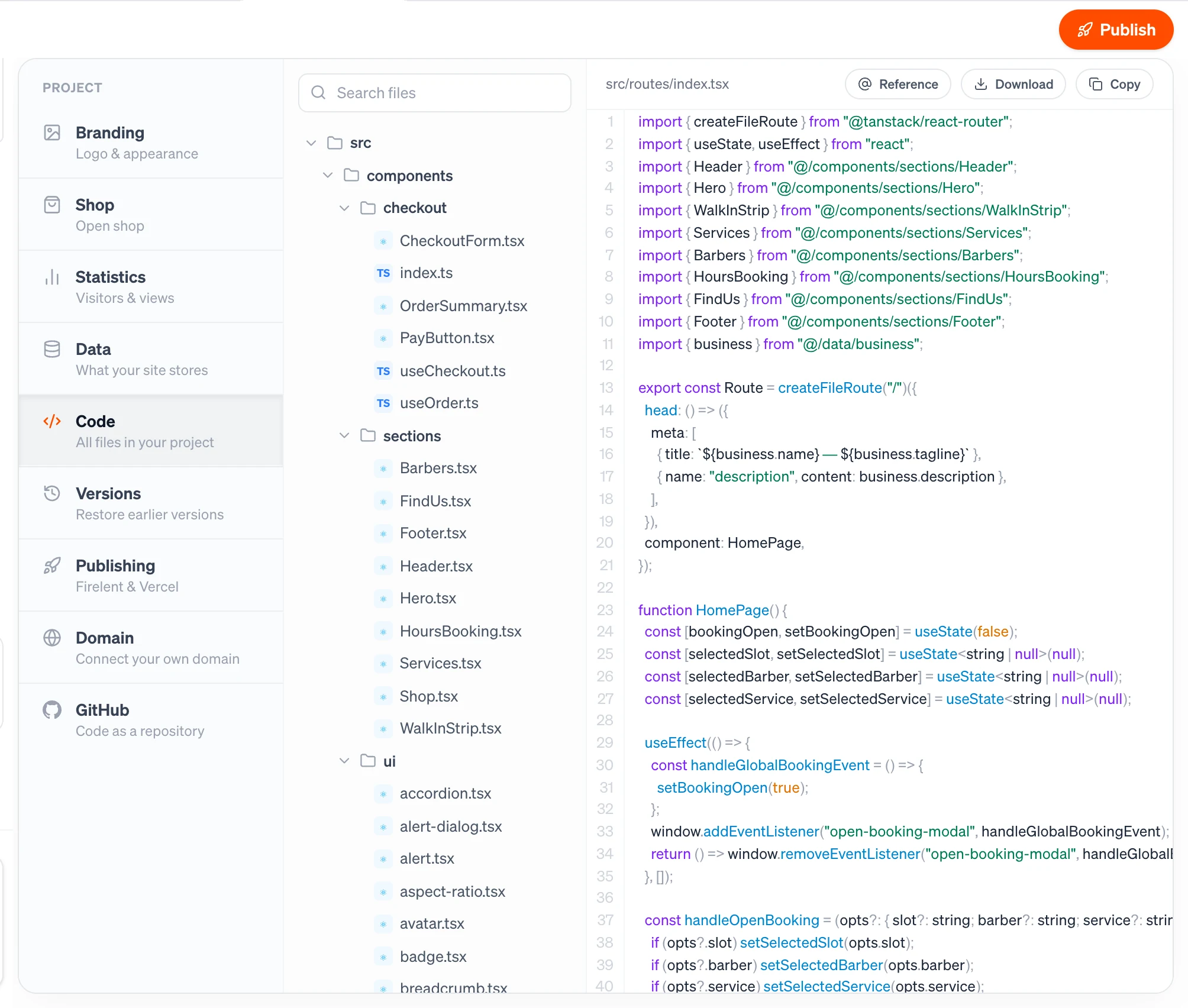
The Code section shows every file in your project. It's the Code Editor, opened from your project's settings.
Open it from your project: Project tab → Code.
What you can do here#
- Browse every file in your project in the file tree, folders first.
- Search files by name or path.
- Read any file with line numbers and syntax colours.
- Reference a file — or a single line, with the + next to its line number — in the chat, then describe the change you want.
- Download the file you have open, or Copy its contents.
The code is read-only here: you change it by asking Firelent in the chat. Read the Code Editor page for the full walkthrough.
Take all of your code with you#
Download saves one file at a time. To keep your whole project — every file, with its full history — link it to GitHub. Firelent then commits every build to a private repository in your own account.