
Build / Servers
Build
Servers
The backend every project gets: data, accounts and what Firelent Cloud can and can't do.
Every Firelent website and app comes with a backend already built in: Firelent Cloud. It stores your data, manages your users' accounts and keeps everything running — without a server to set up, a database to manage or a line of server code to write.
What Firelent Cloud gives you#
| What it does | |
|---|---|
| Data | Stores what your site or app saves — bookings, sign-ups, scores, lists — in collections |
| Accounts | Lets people sign up and sign in with their email |
| Hosting | Serves your published site fast and securely, with SSL |
| Export | Your data as JSON or SQL, whenever you want it |
You never connect it yourself. When you ask for a feature that needs to remember something, Firelent writes the code that talks to Firelent Cloud.
How data is stored#
Data is grouped into collections — one for bookings, one for messages, one for scores. Each entry is a small record with its own fields, plus the time it was created and last changed.
Your site or app can:
- add new entries, optionally making sure a field is unique — so the same email can't sign up twice;
- read, change and remove entries;
- count up a number in place, safely — for likes, votes or stock levels;
- list entries, filtered by their fields and sorted by any field or by date;
- count how many entries match.
Accounts#
When your project needs accounts, people can:
- sign up with an email and a password — at least 8 characters — and confirm their email with a 6-digit code;
- sign in with a one-time code sent to their email, no password needed.
Codes are valid for 10 minutes, and people stay signed in for 90 days.
Who can read and change data#
- Entries created by a signed-in user can only be changed or removed by that user.
- Entries created without signing in can be changed by anyone using the site or app.
- Reading is open: anyone using your site or app can read what it stores.
Don't store private or sensitive data
Because everything your project stores can be read by its users, keep private information out of it — no health details, ID numbers, passwords for other services, private messages or anything only its owner should see. There are no admin-only areas or user roles yet.
Limits#
| Limit | |
|---|---|
| Entries returned in one list | 100 |
| Filters in one list | 8, all of which must match |
| Size of a single entry | 64 KB |
| Entries per collection | 5,000 |
| User accounts per project | 500 |
| Requests | 20 per second per project |
What's not available yet#
Firelent doesn't run custom server code for your project. That means these aren't possible yet:
- your own API endpoints for other apps to call, or webhooks from other services;
- connecting to outside services or APIs, or storing secret API keys;
- tasks that run on a schedule or in the background;
- file and image uploads by your users;
- live updates that appear without a reload;
- sign-in with Google or Apple;
- emails to your users beyond the sign-in codes.
Take your data with you#
Your data is never locked in:
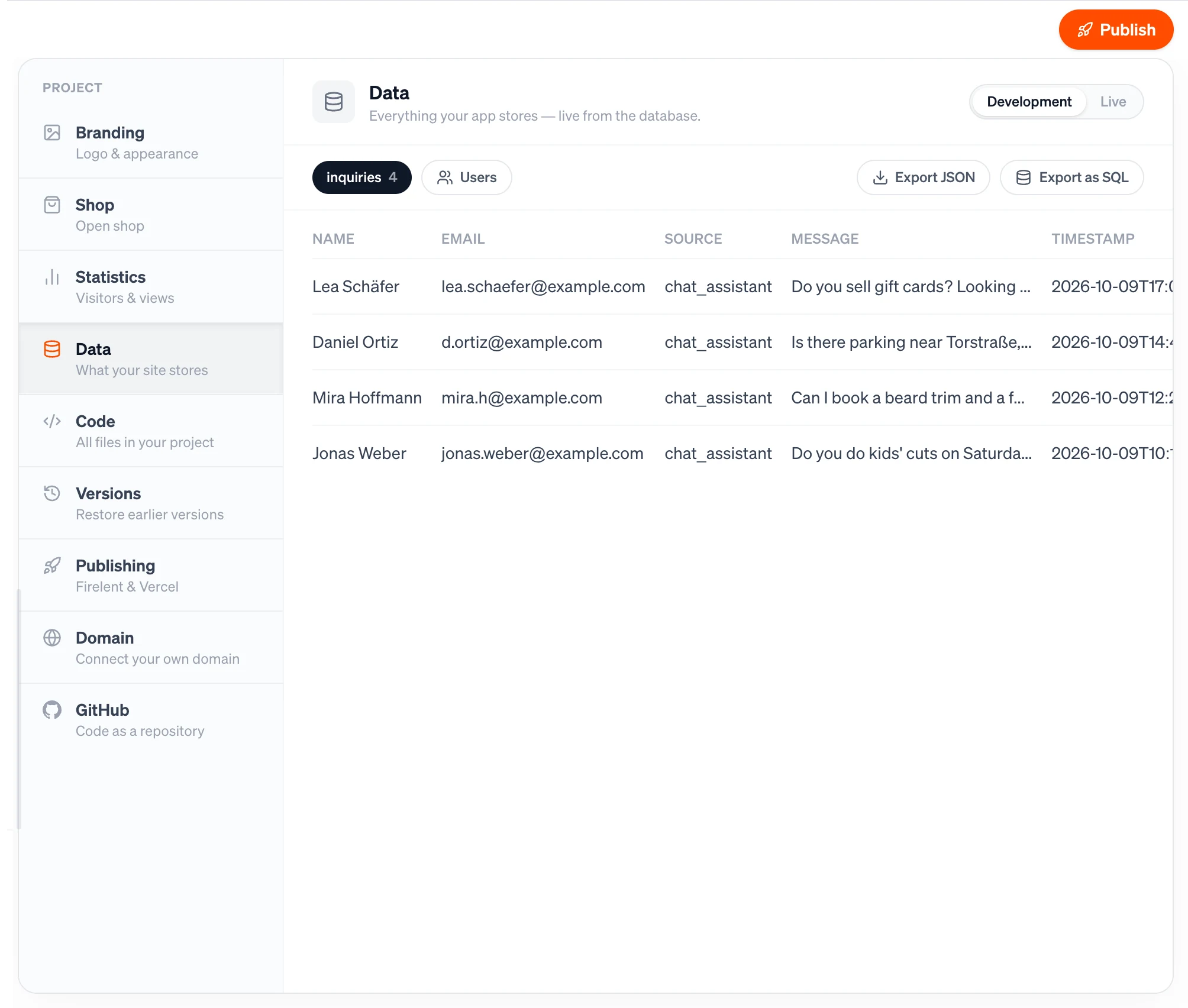
- Export as SQL in Project → Data gives you everything — all collections and your users — as a PostgreSQL file that runs in any database. Passwords are never included.
- Export JSON gives you the entries of a single collection.
- GitHub keeps your project's code in your own repository, updated with every build.
FAQ#
Can I connect my own database?#
Not yet. Every Firelent project uses Firelent Cloud — and you can export everything from it at any time.
Can I build an API for another app?#
Not yet. Firelent Cloud is the backend for the website or app in the same project.
Where do I see my data?#
In your project, under Project → Data. See Data.