
Build / Project settings
Build/Projects
Project settings
Everything about a project beyond the chat: branding, shop, statistics, data, code, versions and publishing.
Everything about a project that isn't the chat lives in its settings: your logo, your shop and orders, your visitor statistics, the data your site stores, its code and versions, and how and where it's published.
Settings always belong to the project you have open. To get there, open a project and switch to the Project tab in the top bar. The sections are listed on the left, under Project; click one to open it on the right.
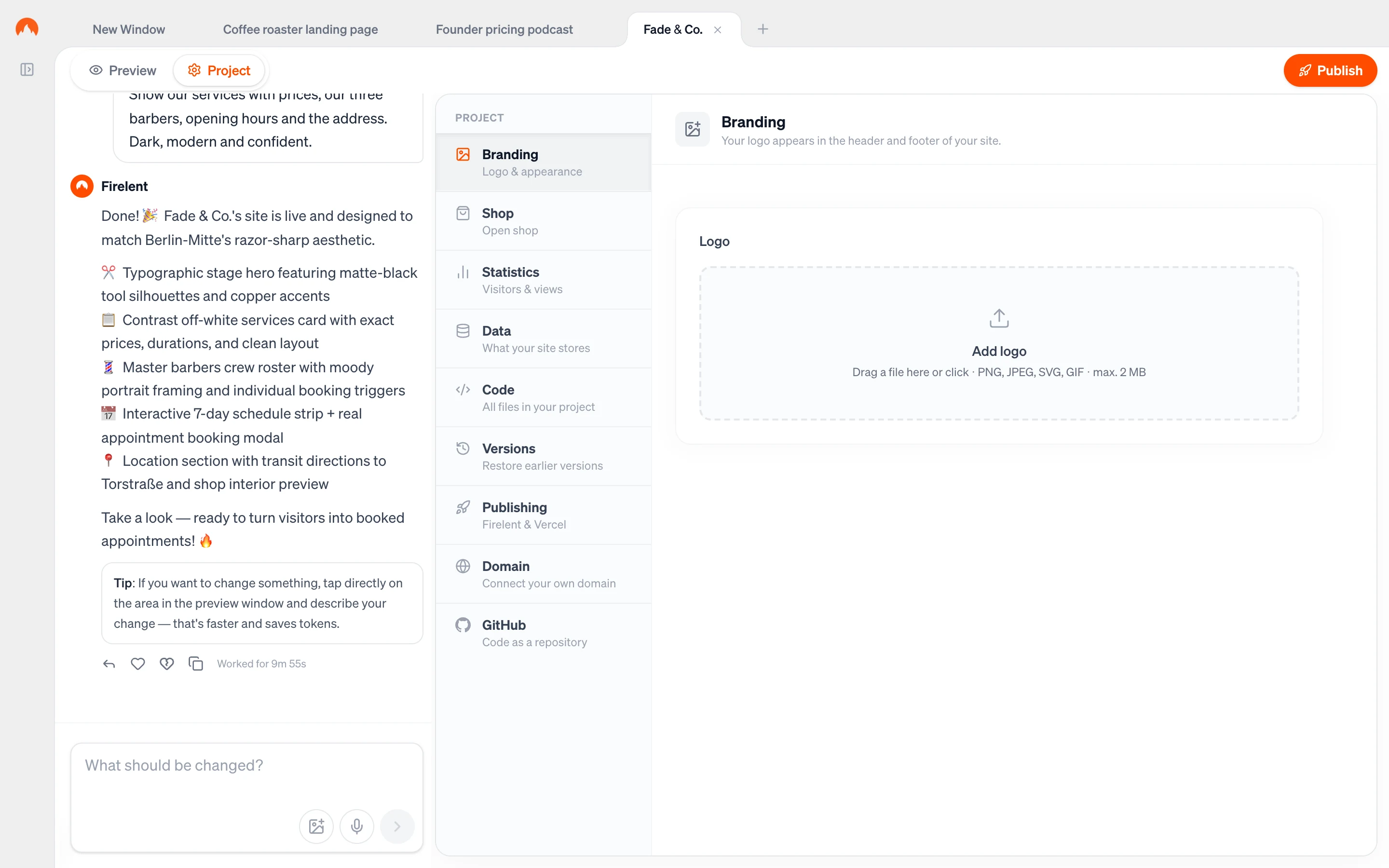
The sections#
| Section | What it's for |
|---|---|
| Branding | Your logo, and how large it appears on your site |
| Shop | Open a shop on your website and manage up to five products |
| Orders | Incoming orders from your shop — appears once you have a shop |
| Statistics | Visitors and page views of your published site |
| Data | The records and users your site or app stores |
| Code | Every file in your project |
| Versions | Your project's history, and going back to an earlier version |
| Publishing | Putting your site live on Firelent Hosting or Vercel |
| Domain | Connecting your own domain |
| GitHub | Keeping your project in a repository in your own GitHub account |
Which sections work for your project#
Every section is built for websites. App and imported projects use a smaller set:
| Section | Website | App | Imported project |
|---|---|---|---|
| Branding | ✓ | — | — |
| Shop and Orders | ✓ | — | — |
| Statistics | ✓ | — | — |
| Data | ✓ | ✓ | — |
| Code and Versions | ✓ | ✓ | ✓ |
| Publishing and Domain | ✓ | — | Plain HTML sites |
| GitHub | ✓ | ✓ | ✓ |
When changes reach your live site#
Changes you make in the settings — a new logo, new products — show up in your preview right away. Your live site updates the next time you publish, so publish again after changing them.