
Build / Webapps
Build
Webapps
Build web apps people sign up for and come back to — with data and accounts built in.
A web app is a website people use, not just read: they sign up, save things, and come back to find them again. Firelent builds web apps on the same foundation as its websites — fast, responsive pages — and adds a backend for you: a place to store data and user accounts, set up automatically.
What you can build#
Web apps shine when people need to do something on your site:
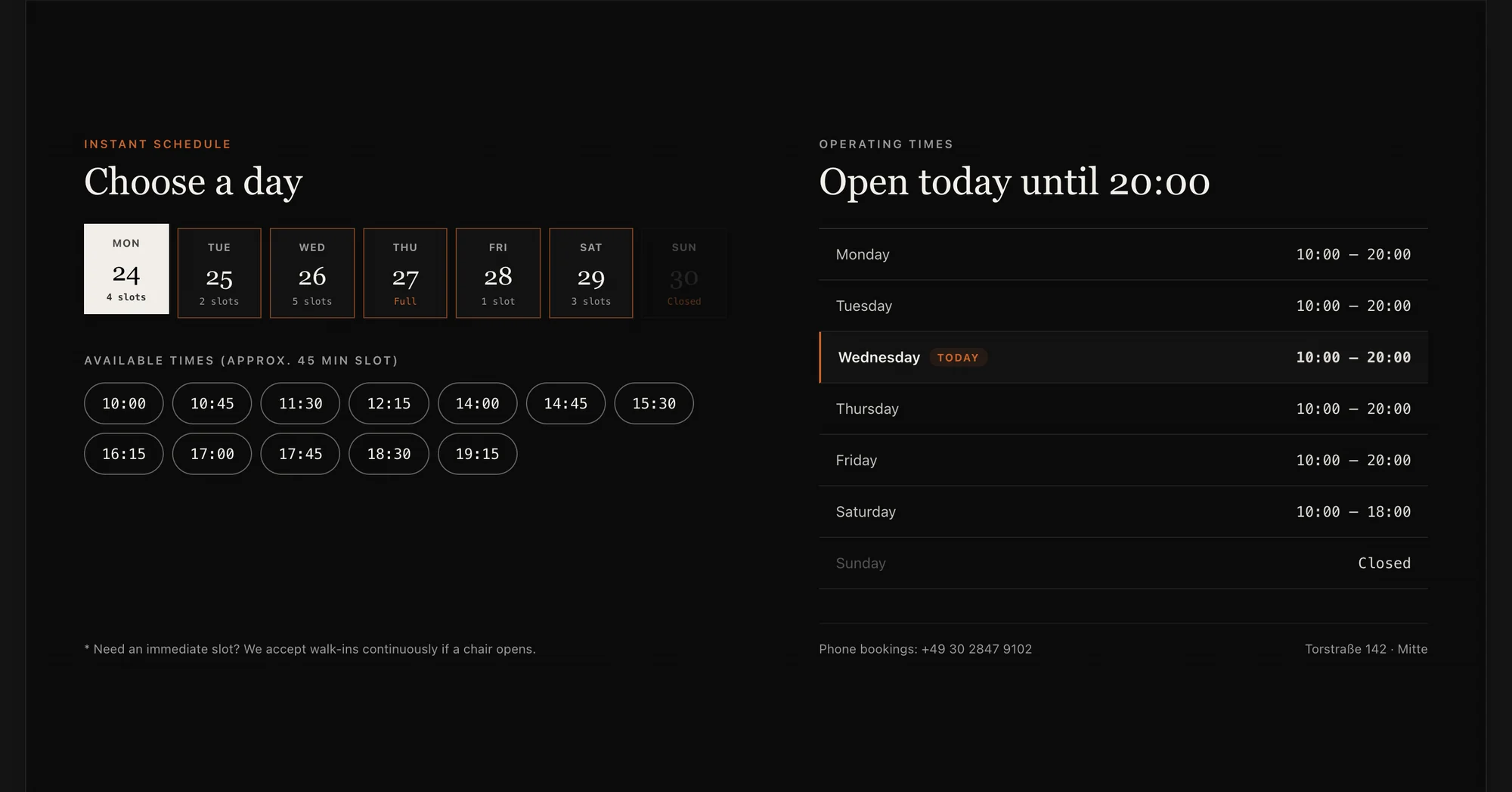
- Bookings and reservations — pick a service, a day and a time slot.
- Sign-ups and waitlists — collect names and emails for a launch or an event.
- Trackers and planners — habits, budgets, reading lists, weekly plans.
- Directories and catalogues — a searchable list of members, products, recipes or places.
- Calculators and configurators — price quotes, tip splitting, “which plan fits me?”
- Small tools for a team — a shared to-do board, a shift plan, an equipment list.
How a Firelent web app works#
| Part | What you get |
|---|---|
| Pages | As many pages as your app needs, with links between them — plus a header, a footer and the legal pages every site gets |
| Building blocks | Forms, tables, charts, calendars, tabs, dialogs, menus, carousels and smooth animations |
| Data | Firelent Cloud stores what your app saves — entries, bookings, lists — in collections you can see under Project → Data |
| Accounts | Visitors can create an account with email and password, confirmed with a 6-digit code, or sign in with a one-time code |
| Hosting | One click to publish on a firelent.app address or your own domain, with SSL |
You don't set any of this up. When you ask for a feature that needs to save something — “let people book a slot”, “save each signup” — Firelent wires it to Firelent Cloud on its own.
Plan before you prompt#
A few minutes of thinking saves a lot of back-and-forth. Before your first prompt, answer four questions:
What's the one job?
“Let customers book a haircut” beats “a barbershop platform”. Start with the job people come for.
What does it store?
List the things your app remembers and their details — for a booking app: bookings (name, email, service, day, time).
Who signs in?
Can anyone use it, or do people need an account? Only ask for accounts when people need to come back to their things.
Which screens?
Three to five screens are plenty for a first version: a start page, the main action, a list, a confirmation.
Build a booking web app for Fade & Co., a barbershop in Berlin. Customers pick a service (with price and duration), a barber and a free 45-minute slot in the next 7 days, then enter their name and email to book. Save every booking. Show booked slots as taken. No account needed. Dark, modern and confident.
Plan it with Firelent first
Not sure about the details yet? Start in Plan mode from a New Window tab. Firelent writes the plan — screens, data, open questions — for free, and you build when it's right. See Chat.
Build it in steps#
Big web apps come together best in layers. After each step, check the preview before you move on:
- Screens and navigation — the pages and how you get between them, with sample content.
- Saving data — connect the main action: the booking form saves bookings, the list shows them.
- Accounts — only if people need to come back to their own things.
- Polish — empty states (“No bookings yet”), loading states, clear error messages, and a check on your phone.
Every step is saved as a version. If a change goes wrong, go back for free under Project → Versions.
Accounts and who can change what#
When your app has accounts, Firelent Cloud keeps track of who created each entry:
- Entries created by a signed-in user can only be changed or deleted by that user.
- Entries created without signing in can be changed by anyone using the app.
A quick way to check your app behaves the way you expect: create an entry with one account, then sign in with a second account and try to change it.
Keep private information out of your app's data
Anything your app stores can be read by anyone who uses it. That's fine for bookings without personal details, public lists, scores or waitlists — but don't build features that store private or sensitive information, such as health details, ID numbers, private messages or anything you'd only show its owner. There are no admin-only areas yet.
Make it better#
- One change per message. “Make the booking button bigger and orange” lands better than ten changes at once.
- Say where. Name the page and the section, or click the spot in the preview and describe the change there.
- Show, don't tell. Attach a screenshot of a layout or an app you like.
- Ask for the states, not just the screens: what people see when a list is empty, while something loads, and when something goes wrong.
- Try it like a stranger. Open the preview in full screen and go through the main action from start to finish — on your phone, too.
Limits#
| Limit | |
|---|---|
| Entries shown in one list | 100 |
| Size of a single entry | 64 KB |
| Entries per collection | 5,000 |
| User accounts per project | 500 |
| Requests | 20 per second per app |
Not available yet: file and photo uploads by your users, live updates without reloading, admin areas and roles, sign-in with Google or Apple, connecting to other services or APIs, and tasks that run on a schedule. For selling, see Shop — one product per purchase.
FAQ#
Can people create an account?#
Yes. Ask for accounts and Firelent adds sign-up with email and password — confirmed with a 6-digit code — or sign-in with a one-time code sent by email.
Where do I see what people saved?#
In your project, under Project → Data. You can browse each collection, see your users and export everything. See Data.
Can I take my web app somewhere else?#
Your code goes to your own GitHub repository with every build, and you can export all your data as SQL. See GitHub.